
How to Write a Product Listing That Converts
 Jan Orsula
Why Great Products Often Fail to Sell (The Hook)
You spend six weekends writing clean code. You debug the edge cases, polish the UI, and deploy to production. Then you set up the Stripe integration and wait for the sales to roll in. Crickets. Sound familiar?
Most founders assume the product is the problem. In practice, the code is usually fine. Your problem is that nobody understands what you actually built. Figuring out how to write a product listing that converts is the unsexy bridge between writing code and making money. You do not need to be a professional copywriter. You just need a repeatable framework to translate your technical features into emotional triggers. Here is the exact process.
What is a High-Converting Product Listing?
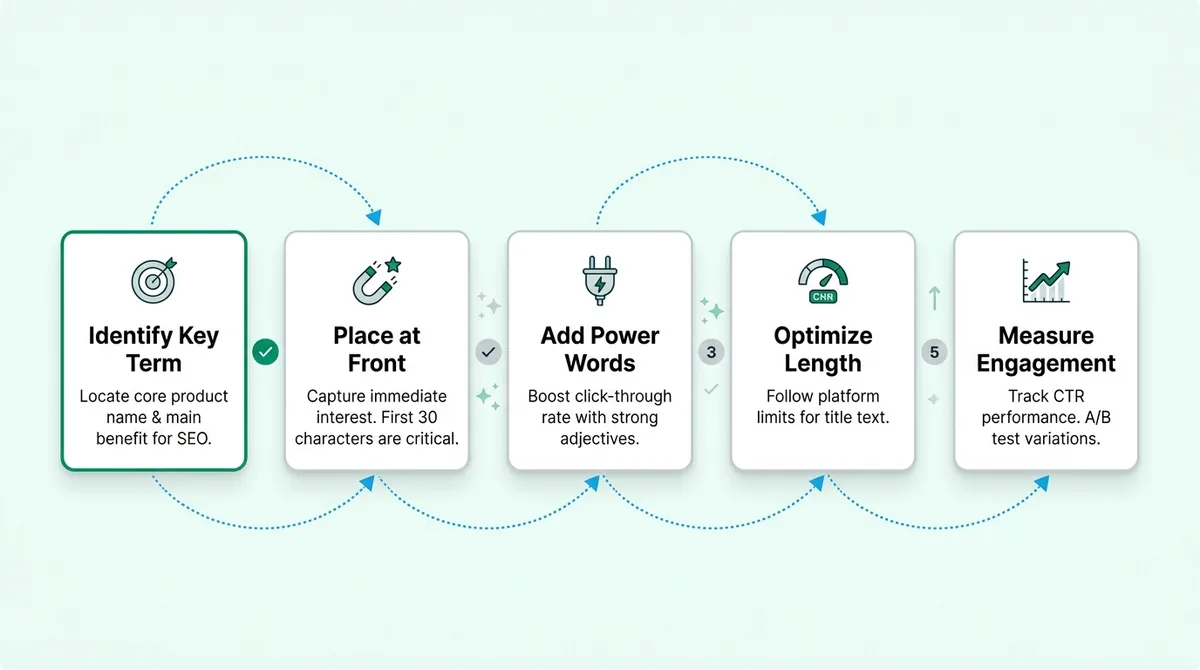
Think of a high-converting product listing as a dedicated sales asset built for two distinct audiences: search algorithms and human psychology. It strips away complex technical specifications and replaces them with undeniable buyer benefits. The ultimate goal is simple. Drive targeted visitors to take a specific, measurable purchasing action.
Phase 1: Capturing Attention with a Strategic Title
Your title contains the most important ten words on your entire site. It does the heavy lifting for your click-through rate. It signals relevance to search engines. If you get this wrong, the rest of the page does not matter because nobody will read it.
Founders love clever names. Buyers hate them. If a visitor has to guess what your software does, they will leave immediately. You have roughly three seconds to explain exactly what the tool is and who it serves. Learning how to write a product listing starts with killing your own cleverness.
The Winning Formula: Brand + Core Benefit + Use Case
Look at how the best indie products position themselves. They do not just drop a brand name and hope for the best. They follow a rigid, predictable structure.
Here is a classic trap. You build a new invoicing tool and call it 'Zappy'. A terrible title is simply 'Zappy - The Future of Finance'. A highly effective title is 'Zappy: Automated Invoicing Software for Freelance Designers'. The second option captures intent. It tells the reader exactly what it is and who should care. If you have ever struggled with how to write a Product Hunt tagline that converts, you know exactly how crucial this compression is. Pick a lane. Name the specific audience.
Phase 2: Mastering the 'Benefits Over Features' Translation
Makers obsess over features. We love discussing the tech stack, the API rate limits, and the clean architecture. Buyers do not care about any of that.
They only care about their own problems. Your listing needs to bridge the gap between what the software does in the background and how it materially improves the user's life.
Turning Technical Specs into 'What’s In It For Me?'
Imagine you spend a week building a custom 256-bit encryption protocol for your app. You proudly list 'Military-Grade 256-Bit Encryption' prominently on your page. The average user glosses right over it.
Translate it. Turn that raw spec into a tangible benefit. 'Total peace of mind for your sensitive client data.' The feature is the proof. The benefit is the promise. Every time you list a feature, ask yourself: So what? Keep asking that question until you hit the emotional core of why someone would open their wallet.
Using Bullet Points to Answer Customer Pain Points
Long paragraphs are where user attention goes to die. Use bullet points heavily. Structure them with ruthless intent.
Do not just list random app capabilities. Review your customer research and identify the top three reasons people churn from your competitors. Dedicate one bullet point to solving each of those exact problems. Start every single bullet with a strong action verb. Follow it directly with the specific outcome the user gets.
Phase 3: Visual Formatting for the Skim-Reader
Writing a great listing is only half the battle. The UX of your text matters just as much. Most readers will aggressively scan your page before deciding to read a single full sentence.
The Hierarchy of Information: Bold Text and Whitespace
Treat your copy like a UI component. Use bolding to pull the reader's eye naturally down the page. If a user only reads your headlines and your bolded text, they should still understand your entire value proposition.
Add more whitespace than you think you need. Give your call to action massive room to breathe. A dense, cluttered page creates high cognitive load. Cognitive load kills conversions.
Optimizing Images and Alt-Text for Search and Clarity
Screenshots should never be an afterthought. They act as visual proof that your product actually exists and performs the way you claim.
Zoom in on the specific UI elements that matter most. Add arrows or annotations. Make sure your alt-text is descriptive and naturally incorporates your target keywords. 'Dashboard view of automated invoicing tool' works vastly better for search engines than 'Screen Shot 2024-10-15'. Show. Do not just tell.
Phase 4: Building Instant Credibility and Social Proof
Buyers are inherently skeptical. They assume your marketing copy is entirely exaggerated. You have to borrow trust from external sources to close the sale.
Integrating Reviews and Trust Badges Naturally
Do not dump all your user testimonials at the very bottom of the page in a forgotten slider. Integrate them where they matter most. According to research from the Nielsen Norman Group, users establish trust within the first few seconds of interaction. You need validation immediately.
If you make a bold claim about saving time, put a quote from a real user right next to it confirming they saved five hours last week. Match the social proof directly to the specific promise you just made.
Common Mistakes That Kill Conversion Rates
Even if you understand the basics of how to write a product listing, tiny friction points will bleed your conversion rate dry. Here is what actually trips founders up in the real world.
Overloading with industry jargon. Sounding smart rarely equates to sounding persuasive. Write at an eighth-grade reading level.
Ignoring the mobile experience. Over half your traffic is browsing on a phone while waiting for a coffee. If your pricing tables break or your text is tiny, they bounce.
A weak or hidden Call to Action. 'Submit' is not a CTA. 'Start Your 7-Day Free Trial' is. Tell them exactly what happens next.
The 'Wall of Text' Trap
This is the silent killer. You have so much to say about your product that you write a 400-word block of text detailing the origin story. Nobody reads it. This exact mistake is a massive reason why your product launch failed despite having a brilliantly engineered codebase. Break it down. Stick to one core thought per paragraph.
Your 10-Point Product Listing Checklist
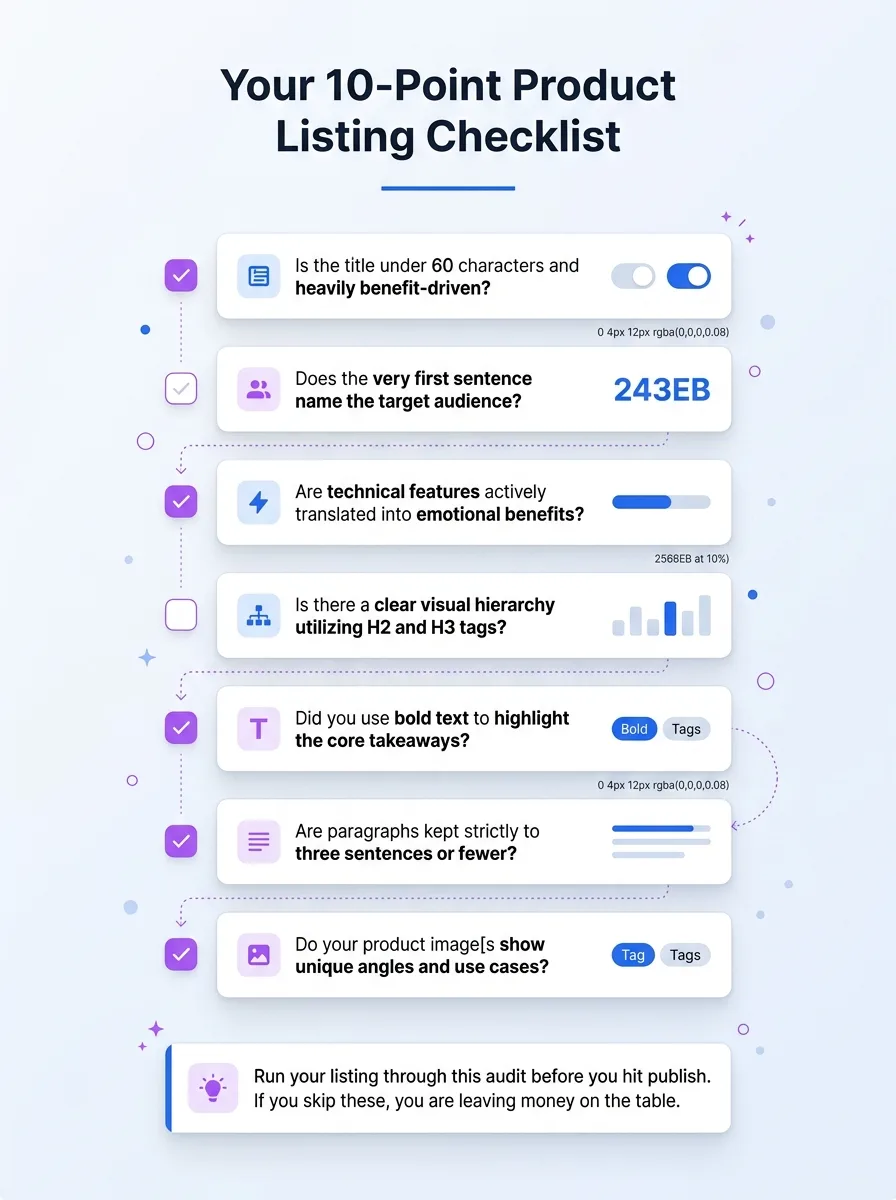
Run your listing through this audit before you hit publish. If you skip these, you are leaving money on the table.
Is the title under 60 characters and heavily benefit-driven?
Does the very first sentence name the target audience?
Are technical features actively translated into emotional benefits?
Is there a clear visual hierarchy utilizing H2 and H3 tags?
Did you use bold text to highlight the core takeaways?
Are paragraphs kept strictly to three sentences or fewer?
Do your product images have keyword-rich, descriptive alt-text?
Is social proof placed directly next to your major claims?
Does the page load cleanly and quickly on a mobile device?
Is the primary call to action completely visible without scrolling?
Frequently Asked Questions About Writing Product Listings
When makers figure out how to write a product listing, they usually overthink the technical SEO side. Here are the reality checks.
What is the ideal keyword density for a listing?
Stop counting keywords. Write naturally for the user first. If your primary phrase appears in the title, a couple of headers, and a few times in the body copy, you are perfectly fine. Anything more looks like spam to both humans and algorithms.
How long should my product description be?
As long as it takes to answer the buyer's internal objections. For a five-dollar widget, 300 words is plenty. For a complex SaaS product, you might need 1500 words to build enough trust. Let the price point and complexity dictate the length.
How often should I update my product listing?
Every time you ship a major feature or notice a shift in why customers are actually buying. Your listing is never truly finished. Treat it like a living piece of code that requires ongoing maintenance and refactoring.
Final Thoughts: Refine, Test, and Scale
Writing a listing that sells is not a dark art. It requires clarity, deep empathy for the user, and a strict refusal to hide behind technical jargon. Ship your first draft, watch the analytics closely, and tweak the messaging based on real user behavior. When you are ready to test your updated positioning, launch it on WeekHack. The community feedback from other makers will tell you instantly if your new copy hits the mark.
Written by

Jan Orsula
Serial maker and founder of WeekHack, SocialCal, and SocialOrbit. Builds tools that help creators launch side projects, schedule social media, and generate content — so they can focus on what matters.
Related Articles
How to Collect User Feedback Before Launch: A Beginner's Plan
Stop guessing what your users want. Learn how to systematically collect pre-launch feedback using smoke tests, problem interviews, and lo-fi prototypes before writing a single line of code.
The Startup Directory Submission Checklist for More Visibility
A complete, actionable guide to submitting your startup to directories. Learn how to boost domain authority, secure early users, and build a backlink profile that drives sustainable growth.
How to Write a Product Hunt Tagline That Converts
Your Product Hunt tagline is the difference between a click and a scroll. Learn how to write a 60-character pitch that converts, using proven frameworks and real examples.