
How to Create a Waiting List Page: A Guide for Indie Hackers
 Jan Orsula
Stop Building in the Dark: Why Your Product Needs a Waiting List
I've done it. You've probably done it. You spend three months writing code in a dark room. You skip weekends, ignore your friends, and drink way too much bad coffee. You finally push it live to the world. Crickets. Nothing hurts worse than building a product nobody actually wants. If you are looking up how to create a waiting list page, you are already on the right track to avoid this misery. Validation is everything. A simple, ugly page with an email capture form will tell you more about market demand than a thousand lines of perfect code.
Imagine you spend a week building a feature nobody asked for. That same time could have gone into talking to 10 potential users. Let's walk through a basic four-step framework to get your first waitlist live today.
How to Create a Waiting List Page: The Quick Answer
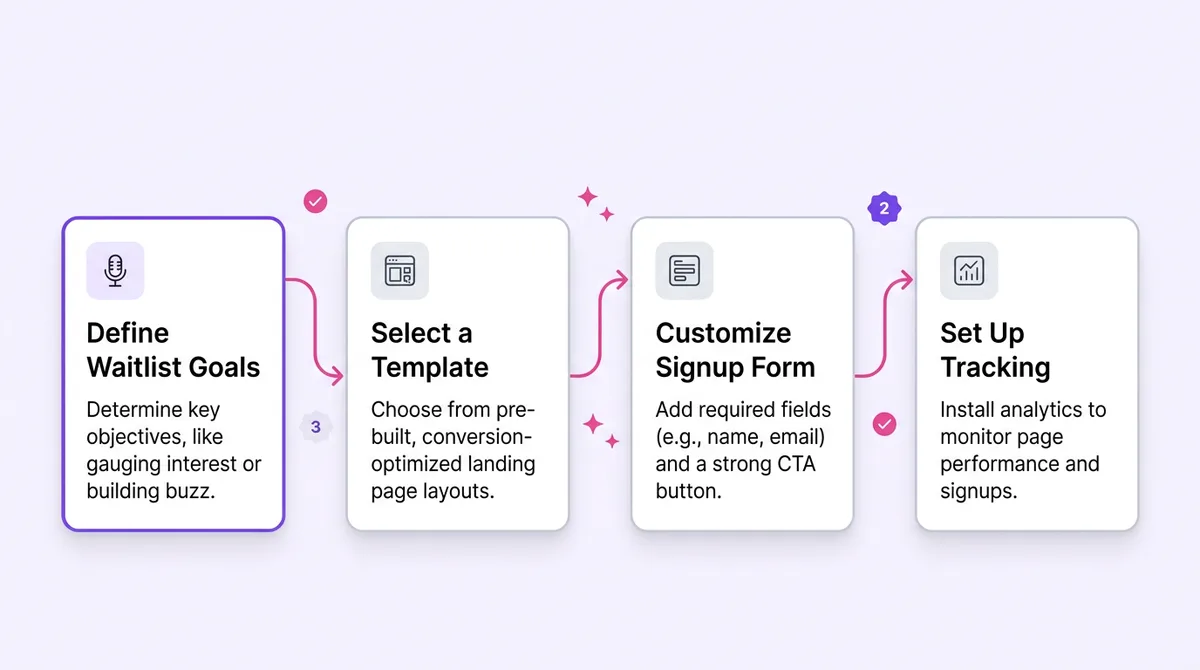
Think of a waiting list page as a single-purpose, pre-launch landing page designed to capture emails and measure early market interest before you build the full product. To create one, you just need a clear value proposition, a basic email input form, and a reason for people to trust you with their contact info. That is the entire secret.
Step 1: Define Your Core Value Proposition
Most founders get this wrong right out of the gate. They write headlines that sound like API documentation or a GitHub read-me file. Your visitors do not care about your tech stack. They don't care about your custom database architecture. Look, they only care about their own problems. You need to distill your entire product idea into a single, punchy headline that hits a nerve.
The 'What’s In It For Me?' Framework
Look at your current idea. Now ask yourself what the user actually gets out of it. We call this the WIIFM rule. Instead of listing features, focus ruthlessly on the end benefit.
Before: "An AI-powered task management system with two-way calendar sync."
After: "Leave work at 5 PM. We auto-schedule your tasks so you never miss a deadline."
See the difference? One sounds like software. The other sounds like a solution to chronic stress. According to a landing page study by Unbounce, clarity almost always beats cleverness when it comes to capturing emails. If a visitor cannot figure out what you do in three seconds, they will bounce.
Step 2: Choose Your Lean Tech Stack
Stop opening VS Code. Seriously. I know you want to build a custom React application with complex framer-motion animations for your pre-launch page. I know it feels productive to set up a new Supabase instance. Don't do it. Custom builds burn time you simply do not have right now. When figuring out how to create a waiting list page, speed is your primary metric. You are running a psychological experiment, not building a monument to your coding skills.
Popular No-Code Tools for Fast Launching
In practice, no-code landing page builders are the only way to go here. Carrd is my personal favorite because it costs almost nothing and takes twenty minutes to learn. It forces constraints on you, which is exactly what a perfectionist maker needs. Tally is fantastic if your waitlist needs a few extra qualifying questions, acting as both a form and a landing page. You can also use a simple waitlist widget embedded on a plain HTML page. The goal is to get a page live in under an hour. Anything longer is procrastination disguised as engineering.
Step 3: Design for Maximum Conversion
A confused mind says no. If your page has four different buttons, a top navigation bar, links to your personal Twitter, and a footer full of useless links, you are actively sabotaging your conversion rate. Every extra link is a potential exit route. The visual hierarchy must do exactly one thing: pull the reader's eye straight down to the email input box.
The Anatomy of a High-Converting Waitlist Page
Keep it stupidly simple. Your Hero section needs that benefit-driven headline we talked about, maybe a brief subheadline expanding on the "how," and the email field. That is the core. Below that, add a small social proof bar if you can. Even if you haven't launched, you can say "Join 50+ founders" once you get some initial traction. Make your CTA button a highly contrasting color. It should be the brightest thing on the screen. Don't make the button say "Submit." That sounds like a tax form. Use action-oriented text like "Get Early Access" or "Join the Beta."
Step 4: Set Up the Post-Signup Experience
The journey does not end when they hit that button. This is where most makers completely drop the ball. You fought hard to get that email address. Do not just redirect them to a generic "Thanks" message and then go silent for three months while you code. You need to handle the lead while they are still warm. Here's the thing. An email address is a line of communication, not just a number on a dashboard.
The Power of the Automated Welcome Email
Set up an automated welcome email to fire off immediately. Keep it plain text. No fancy HTML templates, no massive header images. It feels much more personal, like you actually just sat down and typed it out to them. Tell them what you are building, why you are building it, and ask a single question: "What is the biggest struggle you have with this problem right now?" You will be shocked at how many people reply. These replies are pure customer research gold. According to data from Mailchimp's marketing benchmarks, automated welcome emails have some of the highest open rates of any campaign type. Don't waste that attention.
Common Mistakes to Avoid When Building Your List
I have reviewed hundreds of maker landing pages over the years. The exact same mistakes pop up over and over again. First is over-engineering the design. A blank white page with black text will convert drastically better than a slow-loading 3D WebGL masterpiece that stutters on mobile. Another fatal error is failing to follow up. If someone gives you their email, send them a quick update every couple of weeks. Share a screenshot of what you are building. If you wait six months to email them, they will forget who you are and mark you as spam.
The 'Information Overload' Trap
Here is a highly specific pitfall. Do not ask for their life story upfront. During the pre-launch phase, asking for a first name, last name, company size, budget, and phone number is conversion suicide. Multi-page surveys completely kill momentum. Just ask for the email. You can ask all those qualifying questions later in your welcome sequence or during a 1-on-1 user interview.
The 5-Minute Waiting List Checklist
Before you hit publish and start sharing links, run through this quick checklist. It covers the bare minimum you need to get rolling.
Headline states a clear, undeniable benefit.
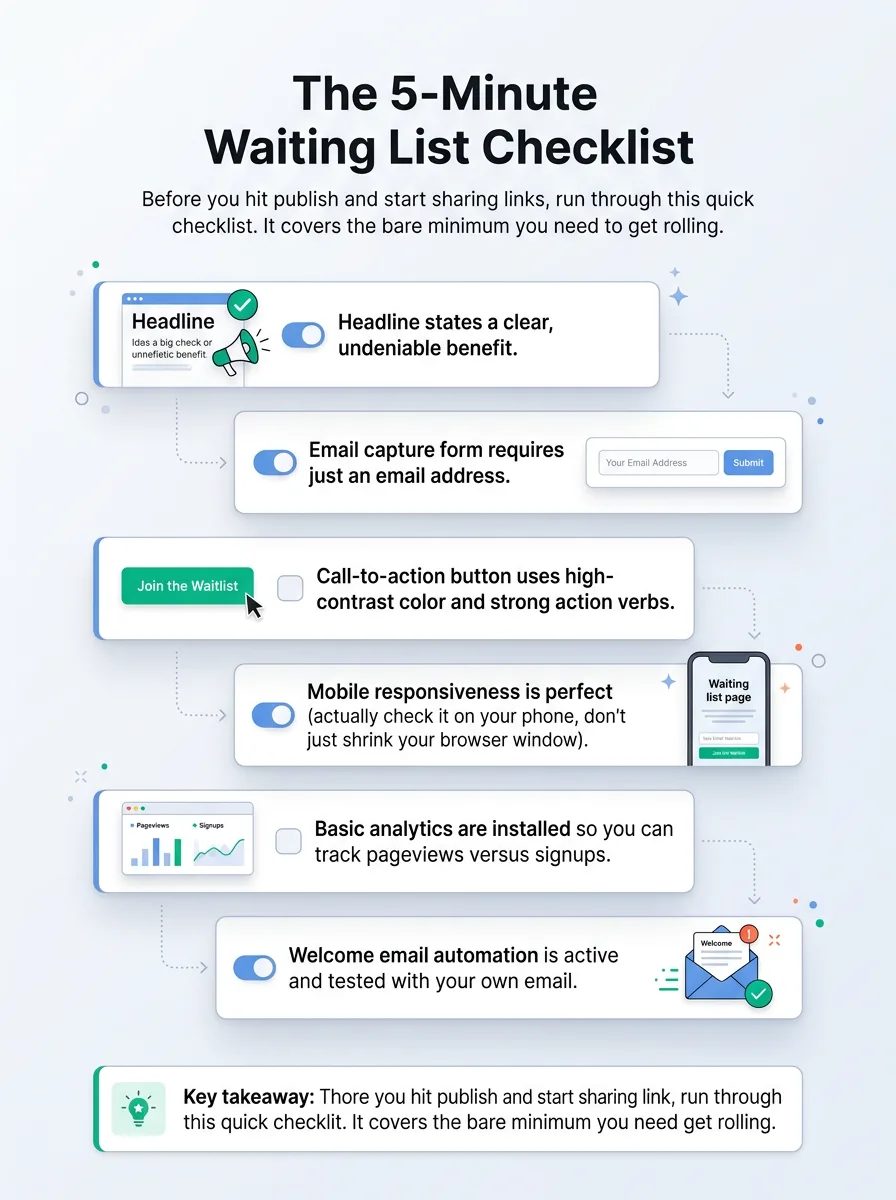
Key takeaways at a glance Email capture form requires just an email address.
Call-to-action button uses high-contrast color and strong action verbs.
Mobile responsiveness is perfect (actually check it on your phone, don't just shrink your browser window).
Basic analytics are installed so you can track pageviews versus signups.
Welcome email automation is active and tested with your own email.
Frequently Asked Questions About Waiting Lists
When should I launch my waiting list?
Ideally, before you write a single line of backend code. Sketch the idea, buy a cheap domain, and put the page up. Let the market tell you if it is worth building.
What is a good conversion rate for a waitlist page?
It varies wildly by niche, but generally, anything above 15% is solid. If you are seeing less than 5% of visitors converting, you either have a traffic quality problem or a messaging problem.
How do I actually get traffic to this page?
Start with communities where your exact target audience hangs out. Share your building process publicly on Twitter or LinkedIn. Write genuinely helpful content about the problem you are solving. Just don't spam raw links in forums.
Should I offer a discount for early signups?
Yes. Offering a lifetime discount or extended free trial to your waitlist is a fantastic incentive. It rewards early believers for taking a bet on you when you had nothing but a landing page.
Launch Your Page and Start Validating Today
Speed beats perfection every single time. Get your page live today, start talking to potential users, and let their actual feedback guide your product roadmap. Once your product is finally ready for the spotlight, you can submit it to platforms like WeekHack Launches to share it with a community of indie hackers who actually get what you are trying to do. Now stop reading and go build that page!
Written by

Jan Orsula
Serial maker and founder of WeekHack, SocialCal, and SocialOrbit. Builds tools that help creators launch side projects, schedule social media, and generate content — so they can focus on what matters.
Related Articles
How to Get Comments on Product Hunt: 5 Proven Launch Strategies
Most makers obsess over Product Hunt upvotes, but comments are what actually drive the ranking algorithm. Learn how to craft the perfect maker story, run feedback-first outreach, and dominate the first 4 hours of your launch.
How to Plan a Startup Launch That Gains Real Traction
Learn how to plan a startup launch that actually gets traction. From finding your early users to engineering a launch day spike, here is the exact playbook indie hackers use.
How to Launch an AI Tool and Rank #1 on Product Hunt
Learn exactly how to launch an AI tool on Product Hunt and claim the top spot. This practical guide covers pre-launch community building, high-converting asset optimization, and a 24-hour tactical sprint.